Introduction
Did you know that nearly 7 out of 10 phone speaker complaints are actually caused by software bugs, dust, or a simple settings mistake – not hardware failure?
Yet most people panic the moment their phone goes silent, assuming the worst.
Whether your speaker suddenly stopped working, your calls sound muffled, or your ringtone has gone suspiciously quiet – you are not alone. Speaker issues are one of the most common smartphone complaints in 2026, and the good news is that most of them are fixable at home in under 10 minutes.
In this complete guide, we will walk you through every possible cause – from blocked speaker grilles and rogue Bluetooth connections to water damage and hardware failure – and show you exactly how to fix each one. Whether you use a Samsung, iPhone, Google Pixel, or any other Android device, this guide covers you.
Let’s get your sound back.
How Phone Speakers Work?
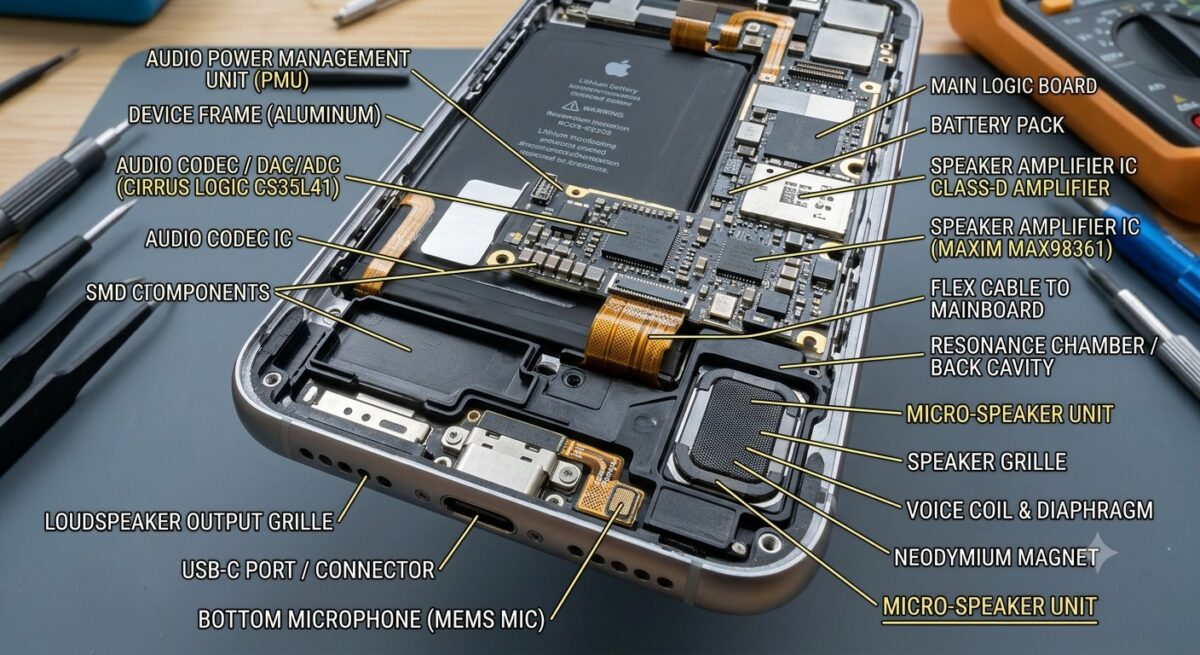
Modern smartphones contain compact speaker modules designed to produce clear audio despite their small size. These components handle everything from incoming call sounds and alarms to music playback and video audio.
Most devices include multiple audio components. The earpiece speaker is used during calls, while the loudspeaker handles media playback, speakerphone conversations, notifications, and alarms. Premium smartphones may also include stereo speaker systems that improve sound quality and volume output.
Because these components are small and exposed to everyday environmental conditions, they can become affected by dust, moisture, physical impacts, and electrical faults over time. Understanding how these parts function makes it easier to identify where an audio problem originates.
Common Signs of Phone Speaker Problems
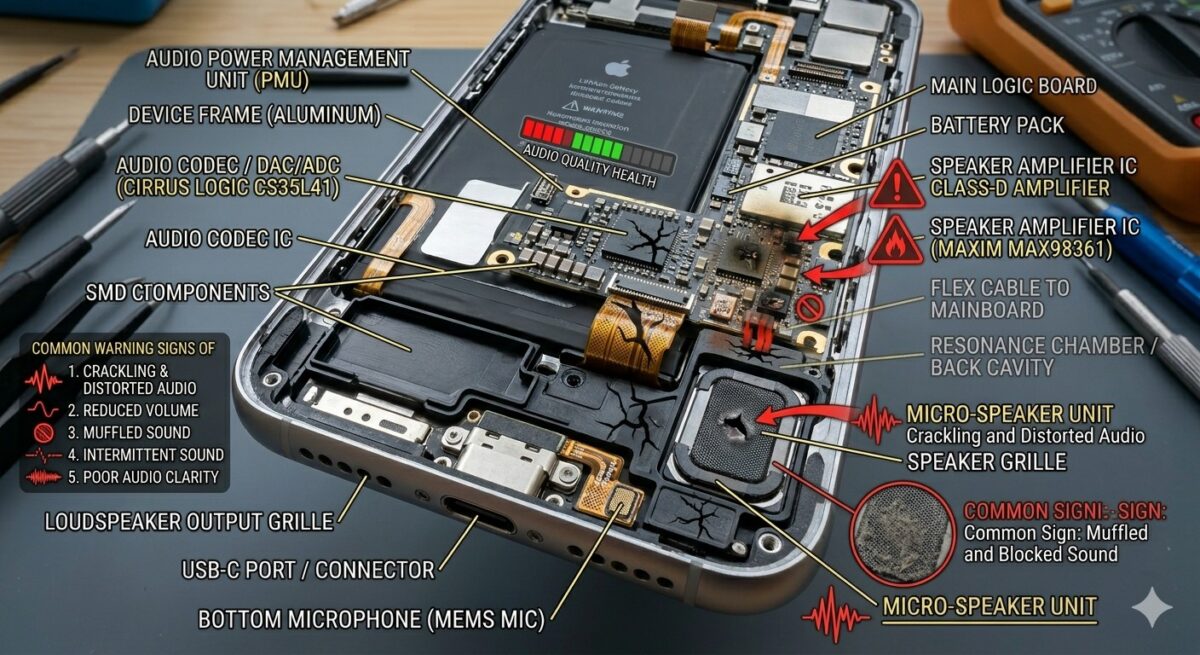
Speaker issues do not always appear in the same way. Different symptoms often point toward different underlying causes.
Some users notice that their phone becomes unusually quiet even when volume settings are at maximum. Others hear distorted sounds, crackling noises, or interruptions during playback. In certain cases, audio disappears completely despite videos and applications functioning normally.
Additional warning signs may include:
- Sound cutting in and out randomly
- Muffled audio during calls
- Speakerphone failing to work
- Alarms playing at very low volume
- Distorted music playback
- No ringtone despite active sound settings
- Audio working only through headphones
Recognizing these symptoms early can help prevent a minor issue from developing into a more serious hardware failure.
Why Your Phone Speaker Suddenly Stops Working?
Many users assume a failed speaker automatically means hardware damage. In reality, software-related issues account for a large percentage of smartphone audio complaints.
A system update may introduce temporary bugs. An application might interfere with sound settings. Bluetooth connections can redirect audio unexpectedly. Even accessibility settings or Do Not Disturb modes can create confusion by altering how sounds are delivered.
Physical causes can also contribute, including:
- Dust accumulation
- Water exposure
- Accidental drops
- Internal component wear
- Corroded connections
- Damaged speaker membranes
Before replacing any hardware, it is important to investigate both software and physical factors.
Check Whether the Issue Is Hardware or Software
The first step in diagnosing a speaker problem is determining whether the fault is related to hardware or software.
Start by testing different audio functions. Play a video, make a phone call, use speakerphone mode, and listen to notification sounds. If one audio feature works while another does not, the problem may be software-related rather than a damaged speaker.
You can also try using headphones. If audio works perfectly through headphones but not through the loudspeaker, attention should shift toward the speaker system itself.
Another useful method involves restarting the device in Safe Mode. This temporarily disables third-party applications and helps determine whether a recently installed app is interfering with audio performance.
Identifying the source of the problem early saves time and helps avoid unnecessary repairs.
Test the Speaker Using Built-In Diagnostic Tools
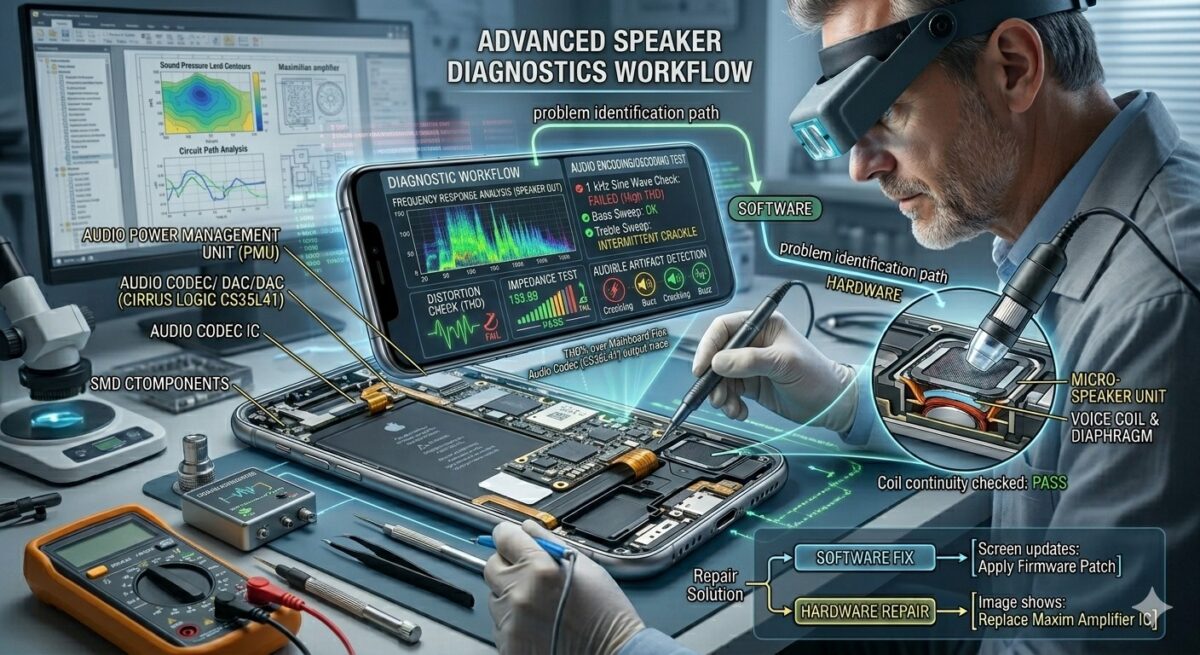
Many smartphones include hidden diagnostic utilities that allow users to test hardware performance without visiting a repair shop. Knowing how to access these tools can save time and help confirm whether the speaker fault is hardware or software related.
Samsung:
Open the Samsung Members app, go to Get Help, then select Interactive Checks and tap Sound. This runs a live speaker test and shows whether the earpiece and loudspeaker are functioning correctly.
iPhone:
Apple does not offer a built-in speaker test for regular users. However, you can do a quick manual check by going to Settings → Sounds & Haptics and dragging the Ringtone volume slider – your phone should play a preview sound through the speaker. For deeper diagnostics, Apple runs hardware tests through their official support app or during in-store service visits.
Google Pixel:
Open the Phone app and dial *#*#7378423#*#* to access the service menu. Navigate to Test and select Audio to run a speaker diagnostic check.
Other Android Devices:
Most Android manufacturers include a hidden test menu. Try dialing *#*#0#*#* or *#0*# in the phone dialer. If a test menu opens, look for Speaker or Audio options.
When running any speaker test, pay attention to:
- Audio clarity
- Volume consistency
- Distortion levels
- Crackling sounds
- Missing frequencies
If the diagnostic test produces distorted or absent audio, there is a stronger possibility that the speaker hardware requires professional attention.
Remove Dust and Debris from the Speaker Grille
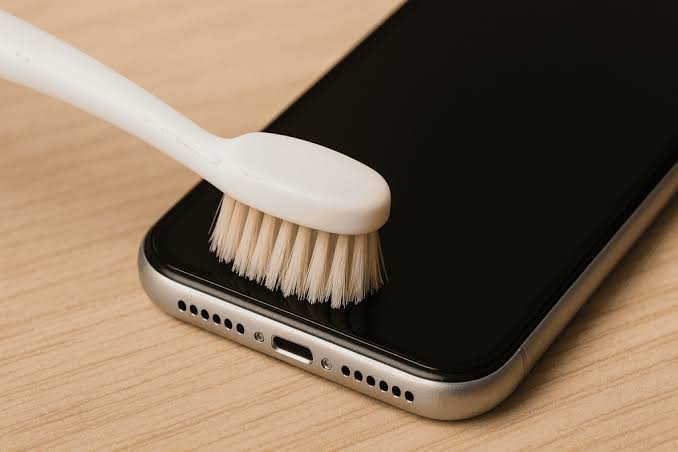
One of the most overlooked causes of weak audio is simple dirt buildup.
Smartphone speakers contain tiny openings that easily collect dust, lint, pocket fibers, and environmental debris. Over time, these particles can partially block sound waves, making audio appear quieter or muffled.
To clean the speaker safely:
- Turn off the phone.
- Use a soft anti-static brush.
- Gently sweep across the speaker grille.
- Avoid using sharp metal objects.
- Never insert pins or needles into speaker openings.
Compressed air should be used carefully and only at a safe distance because excessive pressure may damage delicate internal components.
Many speaker performance complaints are resolved after a thorough cleaning procedure.
Check Sound Settings and Volume Controls
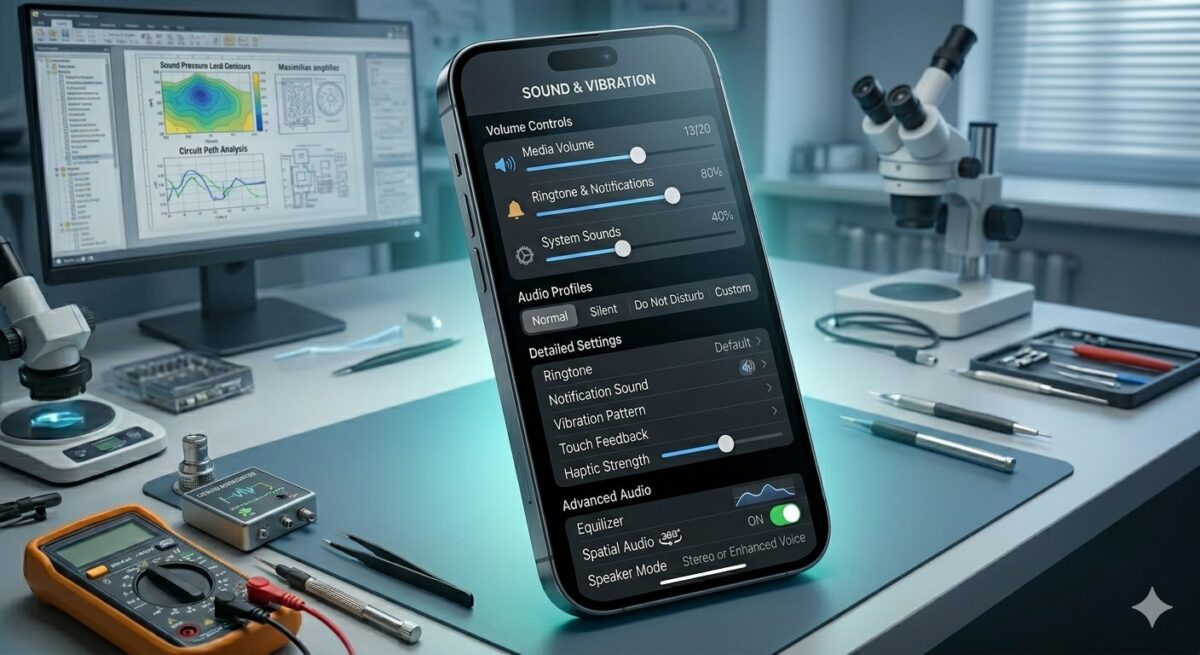
Sometimes the simplest explanation is the correct one.
Audio settings can change unexpectedly after updates, accidental button presses, or application installations. Before assuming a hardware fault exists, verify all sound-related settings.
Review:
- Media volume
- Call volume
- Notification volume
- Alarm volume
- Accessibility settings
- Focus modes
- Do Not Disturb settings
Some phones allow separate volume profiles for different audio categories. A user may increase ringtone volume while media playback remains muted.
Taking a few minutes to inspect settings can prevent unnecessary troubleshooting efforts.
Disable Bluetooth and Connected Audio Devices
Wireless audio technology often creates confusion when diagnosing speaker issues.
If your phone remains connected to wireless earbuds, headphones, smart speakers, or a vehicle audio system, sound may continue playing through that external device instead of the built-in speaker.
Open Bluetooth settings and disconnect all paired devices. Then test audio playback again.
You should also check:
- Smartwatches
- Wireless earbuds
- Car infotainment systems
- Portable speakers
- Home smart assistants
Many users discover that their phone speaker is functioning normally and that audio was simply being redirected elsewhere.
Restart Your Smartphone Properly
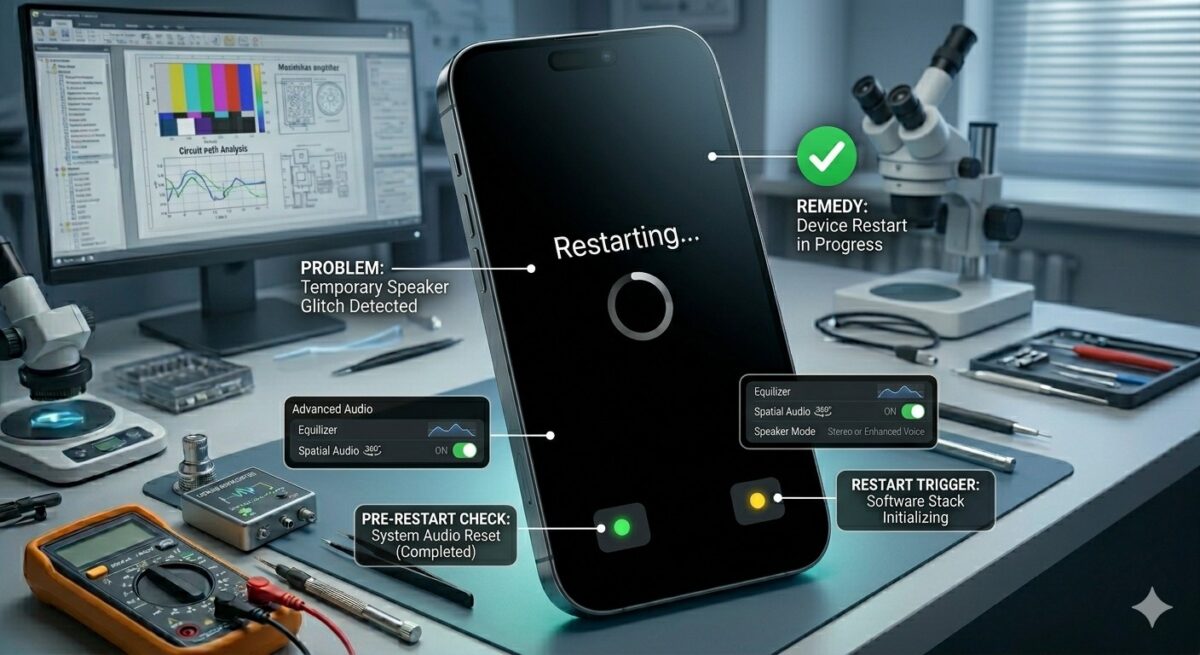
A simple restart remains one of the most effective solutions for temporary software-related audio problems.
Smartphones continuously manage numerous background processes. Occasionally, system services responsible for audio output can freeze or malfunction. Restarting the device refreshes these services and clears temporary memory conflicts.
Instead of merely locking and unlocking the screen, perform a complete restart. Allow the device to shut down fully before powering it back on.
This process may resolve:
- Temporary sound loss
- Audio lag
- Speaker glitches
- Notification sound failures
- Application audio conflicts
Although basic, this step often solves problems that appear much more serious than they actually are.
Update the Operating System
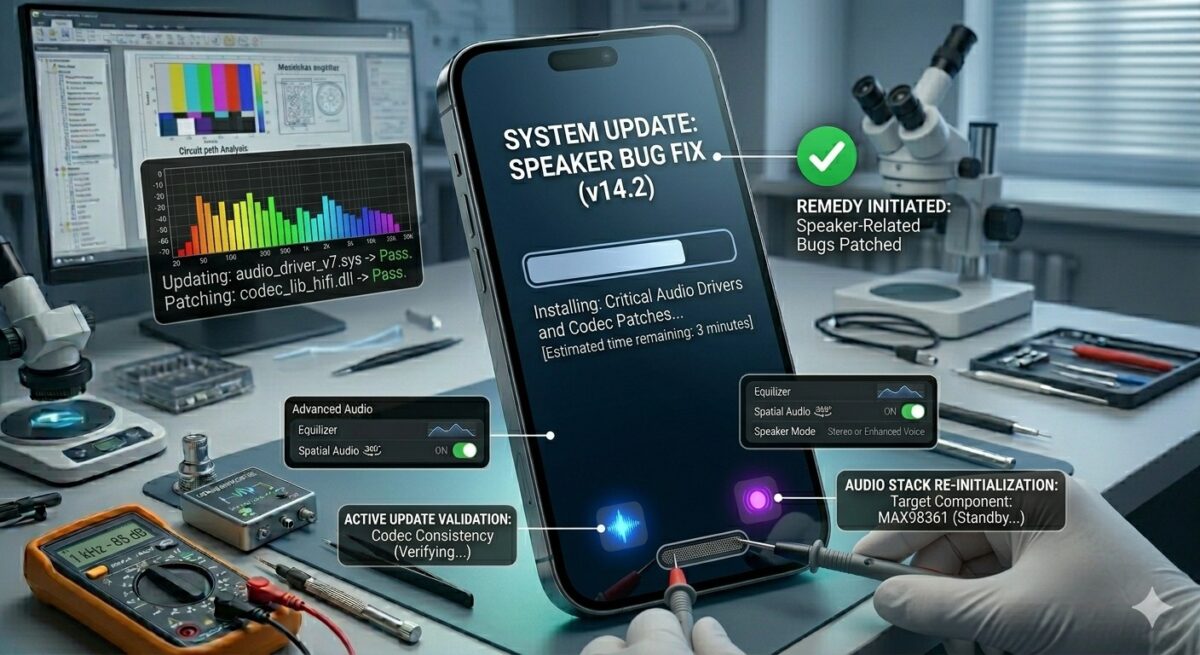
Software updates frequently contain bug fixes related to device performance, security, and hardware compatibility.
If your speaker problem appeared after installing a new application or if your phone has not been updated recently, checking for available software updates is worthwhile.
Manufacturers regularly address:
- Audio driver bugs
- Speaker compatibility issues
- Bluetooth conflicts
- Sound processing errors
- Operating system glitches
Keeping the device current improves stability and can eliminate issues that would otherwise be mistaken for hardware failures.
Check for Water Damage
If your phone speaker suddenly sounds quiet, muffled, or distorted after coming into contact with water, moisture could be the cause. This is a common issue that can happen after exposure to rain, spilled drinks, high humidity, or accidental drops in water. Even water-resistant phones are not completely immune to speaker problems caused by trapped moisture.
Some of the most common signs of water-related speaker damage include:
- Muffled or unclear sound
- Crackling or buzzing noises
- Lower-than-normal volume
- Distorted audio during calls or media playback
- Sound cutting in and out intermittently
If your phone recently got wet, avoid using hair dryers, ovens, or direct sunlight to dry it. Excessive heat can damage internal components and make the problem worse. Instead, power off the device, wipe it with a microfiber cloth, and place it in a dry, well-ventilated area. Keeping the speaker side facing downward may also help moisture escape naturally.
Many modern smartphones include a speaker-cleaning or water-ejection feature that uses sound vibrations to push trapped water out of the speaker chamber. This can often improve audio quality without needing repairs.
However, if the speaker still sounds distorted after 24- 48 hours, moisture may have reached internal components. In that case, professional inspection is recommended to prevent long-term damage. For more recovery tips, check out our guide on how to remove moisture from a phone speaker.
Fix Distorted, Crackling, or Muffled Audio
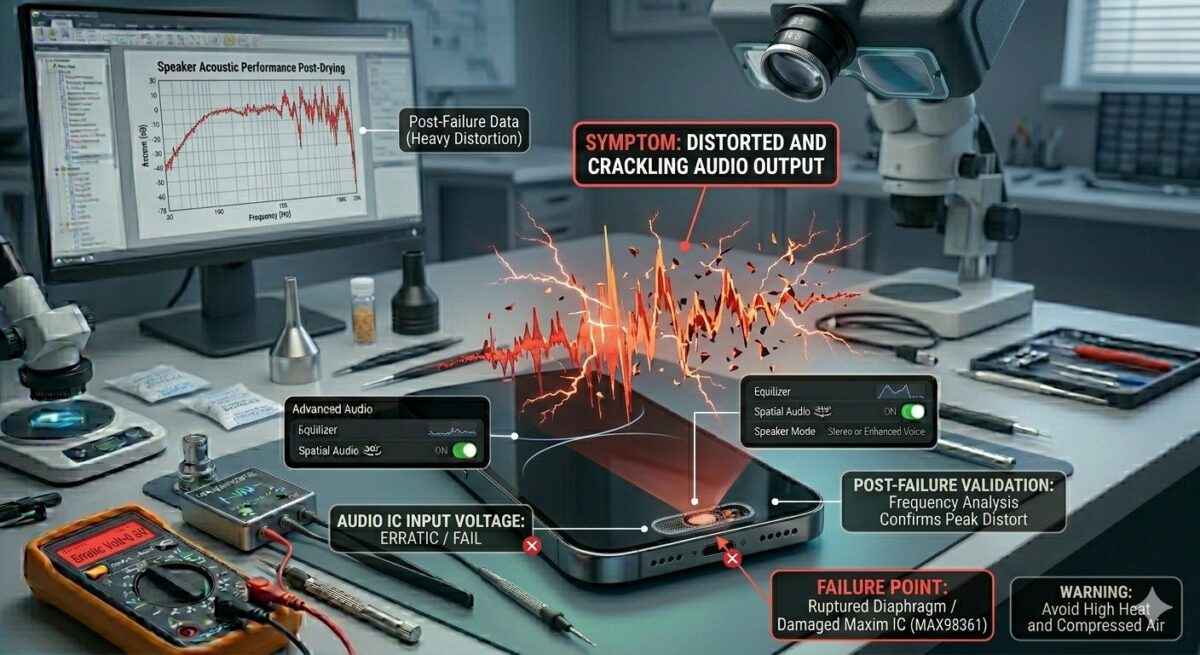
Not every speaker problem results in complete silence. Sometimes sound is still present but lacks clarity. Crackling, buzzing, vibration noises, and muffled output often indicate a different type of issue.
Distorted audio may occur because of:
- Moisture trapped inside the speaker
- Dust blocking sound pathways
- Damaged speaker membranes
- Software audio processing bugs
- Excessive volume usage over long periods
Try testing audio using different apps. If distortion only appears in a specific application, the issue may be software-related. If the same problem occurs during calls, videos, alarms, and music playback, hardware becomes a more likely cause.
Lowering the volume temporarily can also help determine whether the speaker itself has been physically damaged.
Speaker Problems After a Phone Drop
Dropping a smartphone can affect much more than the screen. Internal components may shift, connectors can loosen, and delicate speaker assemblies can suffer physical damage even when the exterior appears fine.
After an impact, users may experience:
- No sound from the loudspeaker
- Intermittent audio
- Rattling noises
- Reduced volume output
- Distorted speakerphone calls
Modern smartphones are packed with tightly integrated components. Even a small drop can loosen internal connections responsible for audio transmission.
If sound problems begin immediately after an accidental fall, a professional diagnostic assessment is usually the fastest way to identify the damaged component.
Why Third-Party Apps Can Affect Audio Performance
Applications sometimes gain control over device audio systems in unexpected ways. Music apps, voice changers, call recording software, gaming tools, and Bluetooth management applications can interfere with normal speaker behavior.
Certain apps continue running in the background and may create conflicts with system audio services. As a result, sounds may become muted, delayed, or redirected incorrectly.
To identify whether an app is responsible:
- Restart the phone in Safe Mode.
- Test speaker functionality.
- Compare performance with normal mode.
- Remove recently installed applications one at a time.
If the issue disappears in Safe Mode, a software conflict is highly likely.
Reset Audio Settings
Sometimes audio settings become corrupted without the user realizing it. Updates, software bugs, accessibility features, or app conflicts can alter how sound behaves across the device.
Instead of performing a complete factory reset immediately, try resetting audio-related settings first.
Areas worth reviewing include:
- Sound profiles
- Equalizer adjustments
- Accessibility audio enhancements
- Dolby Atmos settings
- Mono audio settings
- Bluetooth preferences
Returning these options to their default state can often restore normal sound behavior without affecting personal data.
When a Factory Reset May Help
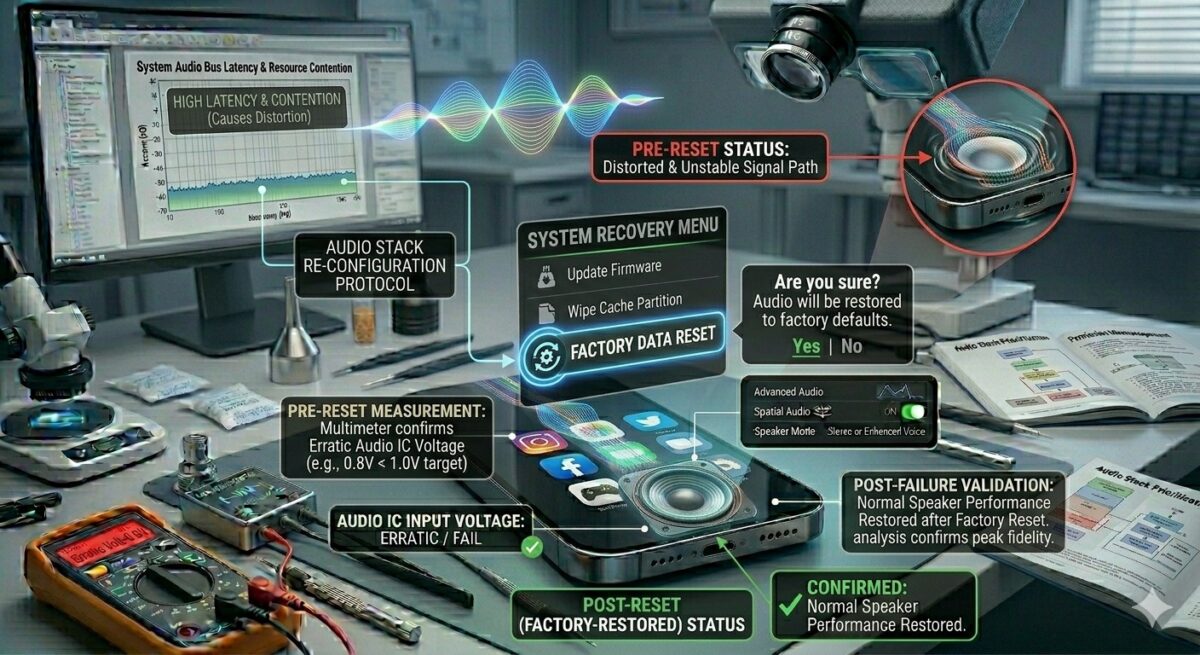
A factory reset should always be considered a last resort rather than a first troubleshooting step.
If every software solution has failed and there is no clear sign of physical damage, resetting the device may eliminate deeply rooted operating system issues.
Before proceeding:
- Back up photos and videos
- Save contacts and documents
- Sync important accounts
- Record passwords if necessary
A successful factory reset can resolve:
- Persistent software corruption
- Audio driver conflicts
- System-level glitches
- Unexplained speaker malfunctions
However, if the problem remains afterward, hardware repair becomes much more likely.
Signs the Speaker Module Needs Replacement
Eventually, some speaker failures cannot be solved through cleaning or software adjustments. The speaker module itself may require replacement when symptoms include:
- Complete loss of sound
- Constant crackling
- Extremely low volume despite maximum settings
- Audio cutting out randomly
- Visible water corrosion
- Damage following a drop
Speaker components naturally wear over time, especially on devices that are frequently exposed to dust, moisture, or heavy daily usage.
A qualified technician can confirm whether the module itself has failed or if another component is responsible.
Professional Phone Speaker Repair Process
When professional repair becomes necessary, technicians follow a structured diagnostic process to identify the exact source of the problem.
A typical repair procedure includes:
Initial Diagnosis
The technician evaluates speaker performance using diagnostic tools and hardware tests.
Device Inspection
The phone is checked for signs of liquid damage, impact damage, and internal component failures.
Component Testing
Audio circuits, speaker connectors, and related hardware are inspected individually.
Repair or Replacement
If the speaker module has failed, it is replaced with a compatible component.
Final Quality Testing
The device undergoes call testing, media playback testing, and speakerphone evaluation before being returned.
This process ensures that the root cause is addressed rather than simply replacing parts unnecessarily.
How Much Does Phone Speaker Repair Cost?
The cost of phone speaker repair in the UK depends on several factors, including the smartphone model, the type of speaker fault, and whether additional repairs are required. Issues such as dust buildup or minor speaker blockages are usually less expensive to fix, while water damage and internal audio circuit faults can increase repair costs.
On average, UK repair prices typically range from:
- Speaker cleaning services: £20 – £40
- Earpiece speaker repair: £30 – £70
- Loudspeaker replacement: £40 – £90
- iPhone speaker repair: £50 – £120
- Samsung speaker repair: £45 – £110
- Water-damaged speaker repair: £50 – £150+
- Audio IC or motherboard-related repairs: £80 – £200+
Not Sure What’s Wrong With Your Speaker?
Don’t guess – let our experts find out for free.
At iExpert Repairs, we offer a free diagnostic assessment for all phone speaker issues – whether it’s low volume, crackling sound, water damage, or complete silence.
- Same-day repairs available
- All major brands covered
- No fix, no fee guarantee
Book Your Free Diagnostic Today
Premium smartphones and newer flagship devices often cost more to repair because replacement parts and labour requirements are typically higher. The final price may also vary depending on the severity of the damage and the availability of genuine or high-quality replacement components.
Preventing Future Speaker Damage
Preventative care is often easier and cheaper than repair. To keep your phone’s audio system working properly:
- Keep the device away from excessive moisture.
- Clean speaker openings regularly.
- Avoid placing phones in dusty environments.
- Use protective cases.
- Do not play audio at maximum volume continuously.
- Keep software updated.
- Handle the device carefully to avoid drops.
These simple habits can significantly extend speaker lifespan and maintain sound quality.
Why Choose Professional Repair Instead of DIY?
Online repair tutorials make speaker replacement appear simple, but modern smartphones are far more complex than they seem.
Opening a device without proper tools can lead to:
- Screen damage
- Battery punctures
- Water-resistance loss
- Connector failures
- Additional repair costs
Professional technicians have specialized equipment, diagnostic tools, and experience working with delicate smartphone components.
For most users, professional repair is safer, faster, and ultimately more cost-effective than attempting complex internal repairs at home.
Conclusion
A faulty smartphone speaker can make everyday tasks frustrating, from taking calls to watching videos and receiving important notifications. Fortunately, as this guide has shown, the majority of speaker problems are not as serious as they first appear.
Start with the basics – check your volume settings, disconnect Bluetooth devices, and restart your phone. If the issue continues, clean the speaker grille, look for water damage, and test your device using the built-in diagnostic tools covered in this guide. Work through each step methodically before assuming the worst.
The truth is, most speaker problems can be solved at home in minutes. But when the sound stays distorted, completely silent, or keeps cutting out after everything you have tried – that is your phone telling you it needs professional attention. Ignoring it rarely makes things better, and often makes repairs more expensive.
Take action early. A small speaker issue today can become a motherboard problem tomorrow.
“Your phone’s speaker is trying to tell you something – listen to it before a small problem becomes an expensive one.”
Frequently Asked Questions About Phone Speaker Problems
1. Why is my phone speaker suddenly not working?
A phone speaker can stop working for several reasons, including software glitches, Bluetooth connections, blocked speaker grilles, water exposure, or physical damage. Before assuming the speaker has failed, check volume settings, disconnect wireless devices, and restart the phone. Many audio issues are temporary and can be resolved without replacing any hardware.
2. How can I tell if my phone speaker is damaged?
A damaged speaker usually produces symptoms such as crackling sounds, distorted audio, extremely low volume, or complete sound loss. If these issues continue after cleaning the speaker, updating software, and resetting audio settings, the speaker module may require professional inspection or replacement.
3. Can water permanently damage a phone speaker?
Yes, prolonged exposure to moisture can damage internal speaker components. Water may cause corrosion, weaken speaker membranes, or affect electrical connections. Acting quickly by drying the device properly can reduce the risk of permanent damage and improve recovery chances.
4. Why does my phone speaker sound muffled?
Muffled sound is often caused by dust, dirt, lint, or moisture blocking the speaker openings. In some cases, audio distortion may also result from internal speaker wear or software-related issues. Cleaning the speaker grille carefully and testing audio performance can help identify the cause.
5. Can a software update fix speaker problems?
Yes. Software updates frequently contain bug fixes that improve audio performance and correct operating system errors. If your speaker issue began after installing an app or if your device has not been updated recently, checking for available updates is recommended.
6. Why is sound only working through headphones?
This usually happens when the phone mistakenly detects a connected audio device or has a problem with its audio routing system. Bluetooth connections, damaged headphone ports, or software glitches can all cause sound to bypass the built-in speaker.
7. Should I use rice to dry a wet phone speaker?
Using rice is generally not recommended. While it may absorb some moisture, it does not effectively remove water trapped inside the speaker assembly. A dry, ventilated environment and manufacturer-recommended drying methods are usually safer and more effective.
8. How much does phone speaker repair usually cost?
Phone speaker repair costs in the UK vary depending on the device and the type of fault. On average, speaker cleaning services cost £20–£40, while speaker repairs or replacements typically range from £30–£90. For premium devices such as iPhones and Samsung phones, repairs can cost between £45–£120. More complex issues, including water damage or motherboard-related audio faults, may cost £80–£200+. A professional diagnosis can provide an accurate repair quote.
9. Is it safe to replace a phone speaker at home?
DIY repairs are possible but can be risky, especially on modern smartphones with sealed designs. Incorrect repairs may damage the screen, battery, charging components, or waterproof seals. Professional repair services are usually the safer option for most users.
10. When should I seek professional phone speaker repair?
Professional repair is recommended when troubleshooting steps fail, sound remains distorted, the speaker stops working completely, or the phone has suffered water or impact damage. A technician can identify the exact cause and prevent further complications.
Final Thoughts
Phone speaker issues can range from simple software glitches to more serious hardware failures, but the good news is that many problems can be resolved without immediately replacing your device. By taking the time to diagnose the cause, clean the speaker properly, review audio settings, and perform basic troubleshooting, you can often restore clear sound and avoid unnecessary repair costs.
Regular maintenance also plays an important role in keeping your smartphone’s audio system performing at its best. Protecting your device from moisture, dust, and accidental drops can significantly reduce the chances of future speaker-related issues.
If you’ve tried the solutions in this guide and your phone still isn’t producing clear audio, it may be time for a professional assessment. Ignoring speaker problems can sometimes lead to further damage, especially when water exposure or internal component failure is involved.
Need Expert Phone Speaker Repair?
At iExpert Repairs, our experienced technicians diagnose and repair common phone speaker issues, including low volume, distorted audio, crackling sounds, water damage, and complete speaker failure. We provide professional repair services for Samsung, iPhone, Google Pixel, Huawei, and other leading smartphone brands.
Back to posts