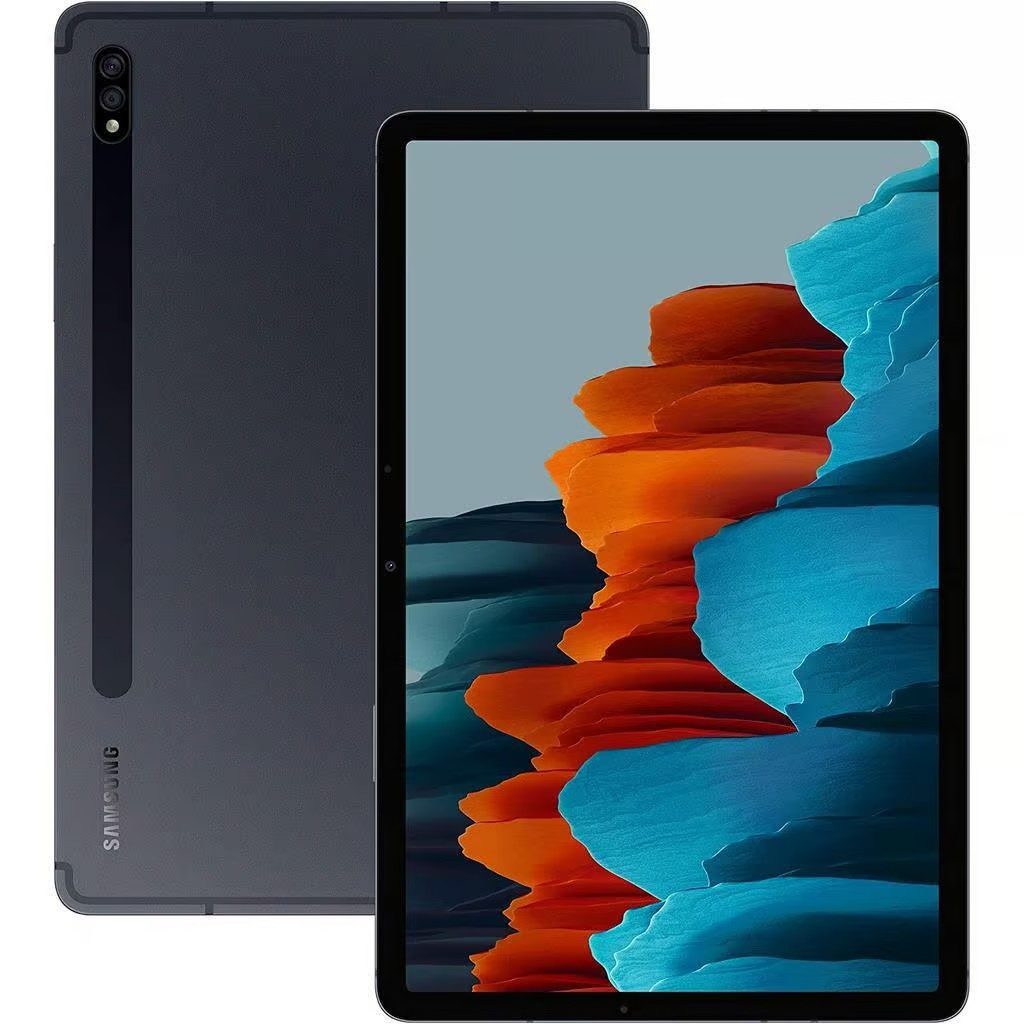
Galaxy Tab S7 Plus Repair
Is your Samsung Galaxy Tab S7 Plus experiencing issues such as a cracked screen, poor battery life, or charging problems? At iExpert Repairs, we specialise in expert Samsung tablet repairs across London and the UK, restoring your device to like-new condition.
Our highly skilled technicians use genuine and high-quality compatible parts, ensuring long-lasting repairs with a 12-month warranty. Whether you choose our in-store repair service or nationwide mail-in repair option, we provide fast, affordable, and reliable solutions so you can get back to using your tablet hassle-free.
 before
 after
after
 before
 after
after
 before
 after
after
 before
 after
after
 before
 after
after
 before
 after
after
 before
 after
after
 before
 after
after

Screen Repair

Battery Replacement

Charging Repair

Can't Find Your Repair?
Galaxy Tab S7 Plus Screen Replacement
£399
Repair Description
A cracked or broken screen can ruin your tablet’s usability, making it difficult to navigate, watch videos, or work efficiently. Whether you have deep cracks, touch sensitivity issues, dead pixels, or display flickering, we provide a full screen replacement using high-quality LCD and digitizer assemblies.

How our mail-in repair works?

How long your repair takes?

12 month warranty included

How we protect your data?
Galaxy Tab S7 Plus Battery Replacement
£65
Repair Description
Does your tablet die quickly, shut off unexpectedly, or take forever to charge? Over time, lithium-ion batteries degrade, leading to short battery life and power issues. Our battery replacement service restores your tablet’s performance, allowing you to use it throughout the day without frequent charging.
How our mail-in repair works?
How long your repair takes?
12 month warranty included
How we protect your data?
Galaxy Tab S7 Plus Charging Repair
£89
Repair Description
If your Galaxy Tab S7 Plus is struggling to charge, only charges at certain angles, or fails to connect to accessories, the charging port might be damaged or clogged with dust and debris. We provide a complete charging port repair or replacement, ensuring smooth charging functionality.
How our mail-in repair works?
How long your repair takes?
12 month warranty included
How we protect your data?
Other Repairs & Diagnostic Service
£15
Repair Description
Is your Samsung Galaxy Tab S7 Plus experiencing an unexplained fault? Our diagnostic service identifies issues such as liquid damage, motherboard faults, startup failures, software glitches, Wi-Fi or Bluetooth connectivity problems, camera faults, overheating, and other internal hardware issues.
Our technicians will carry out a full diagnosis, recommend the most suitable repair, and confirm the repair cost before any work begins.
How our mail-in repair works?
How long your repair takes?
12 month warranty included
How we protect your data?
The Galaxy Tab S7 Plus was the first Samsung tablet with a fingerprint sensor built into the display itself, and that is the detail that matters most when one needs a new screen. It changes what a repair has to achieve, and it is something a great many repairers do not check before handing a tablet back.
How much does a Galaxy Tab S7 Plus repair cost?
Our fixed prices at iExpert Repairs are:
- Screen replacement – £399
- Battery replacement – £65
- Charging port repair – £89
- Diagnostic service – £15
Each covers the part, the labour and a 12 month guarantee, with no assessment fee added afterwards.
The in-display fingerprint sensor
Unlike the standard Tab S7, which puts its fingerprint reader in the side power button, the S7 Plus reads your fingerprint through the screen itself using an ultrasonic sensor mounted behind the panel. It was an unusual thing to put in a tablet at the time and it works well.
For repairs it introduces a step that is easy to skip. The sensor sits beneath the display, so a replacement panel has to be seated correctly against it and the fingerprint enrolment has to be tested afterwards. A tablet can come back with a perfect screen and a fingerprint reader that no longer recognises anything, and the owner only discovers it the next time they pick the device up. We test enrolment and unlock before any S7 Plus leaves us. If you are getting a quote elsewhere, ask whether they do.
Why the Plus costs £399 when the standard S7 is £99
Display technology. The S7 Plus uses Super AMOLED, which lights each pixel individually and produces the deep blacks and contrast the model is known for. The standard S7 uses an LCD. AMOLED is substantially more expensive to manufacture, and this is a larger panel besides – together that accounts for a £300 gap in the same generation.
If you are unsure which you own, Settings then About tablet gives you the model number in seconds. It is worth confirming before ringing anywhere, because a panel ordered against the wrong model does not fit and the delay is entirely avoidable.
Green lines on AMOLED, and what to do first
A vertical green or pink line appearing down the display is a known AMOLED failure mode rather than damage you caused. It typically appears without warning, sometimes shortly after a software update, and usually begins as one faint line before others follow. There is no software fix; the panel has failed.
Check your Samsung warranty status before booking anything, because this may be covered. We would rather point you there than take £399 for something that could cost you nothing.
The S Pen and the digitiser layer
Samsung includes the S Pen with the S7 Plus, and it works by electromagnetic resonance – a dedicated layer behind the display powers and tracks the pen, which is why it never needs charging to write. That layer is entirely separate from the capacitive touch layer your finger uses, and separate again from the fingerprint sensor.
All three have to work after a screen replacement, which is why this repair takes longer than it looks. A tablet can respond perfectly to fingers while the S Pen skips, sits offset from the nib or loses pressure sensitivity near the edges of a large panel. We test S Pen tracking, pressure response and corner accuracy alongside the fingerprint reader before the device goes back.
Battery replacement at £65
For a tablet of this size and class £65 is good value, and it is the repair most S7 Pluses will eventually want. The cell is physically large and bonded across a wide area, so it must be eased out patiently rather than levered, and the tablet is charge-tested after reassembly rather than simply reassembled.
Check the battery is genuinely at fault first. A worn cell copes with reading and streaming and then drops sharply during video calls, gaming, DeX use or long S Pen sessions. Sudden collapse under load is the giveaway.
No IP rating on the S7 series
Samsung did not give its tablets water resistance until the S9 range, so the S7 Plus has no IP rating and no sealing designed for liquid – the same position as any iPad. If liquid gets in, switch it off and do not connect a charger, because power through a wet board is the most common way a recoverable device becomes a dead one. Our water damage repair service covers this, and where a board cannot be saved we can often still attempt data recovery.
Charging faults on a large tablet
Change the USB-C cable, then the mains adapter, and check the wattage – an S7 Plus draws real power and a small phone charger will report as connected while adding almost nothing. Then check the socket with a torch for compacted lint, which we clear at no charge. Our £89 charging port repair is the last conclusion rather than the first.
How long does a Galaxy Tab S7 Plus repair take?
Battery and charging work is usually completed the same day once the tablet is with us. Screen replacement takes longer, because a large bonded AMOLED assembly has to come out cleanly and the fingerprint sensor, S Pen tracking and touch response all need testing afterwards. We confirm timing with the fixed quote.
Where can I get a Galaxy Tab S7 Plus repaired?
iExpert Repairs handles Galaxy Tab S7 Plus repairs from our Essex workshop and accepts devices from across the UK by tracked, fully insured post. contact us to arrange it or to describe the fault first.
We cover Samsung tablet repair across the entire Galaxy Tab range, plus Samsung screen repair, Samsung battery replacement, Samsung charging repair and water damage repair. See tablet repair for other brands and Samsung repairs for every Samsung device we handle.
Check your microSD card before assuming the worst
The S7 Plus takes a microSD card, which no iPad of any generation offers. If your photographs, documents and notes were saved to the card rather than internal storage, they are physically safe even when the tablet is not, and you can read them in any card reader immediately. It is genuinely the first thing to check when facing a device that will not switch on, and it costs nothing.
Where files are on internal storage instead, our data recovery service can often still retrieve them, including from tablets that will never work properly again. On a device people use for note-taking and sketching, what is stored on it frequently matters more than the hardware itself – so ask us about that before writing anything off.
FAQs About Galaxy Tab S7 Plus Repairs
How much does it cost to replace the Galaxy Tab S7 Plus screen?
The cost of replacing your Galaxy Tab S7 Plus screen is £399. At iExpert Repairs, we only use high-quality, Samsung-certified screens, ensuring perfect display clarity, touch sensitivity, and durability.
Why is my Galaxy Tab S7 Plus battery draining quickly?
A fast-draining battery can be caused by background apps, battery wear, or internal hardware damage. If your tablet shuts down randomly or struggles to hold a charge, a battery replacement will restore its power capacity and efficiency.
What should I do if my Galaxy Tab S7 Plus is not charging?
If your tablet only charges at an angle, charges slowly, or doesn’t charge at all, try using a different charger and cleaning the port. If the issue persists, a charging port replacement may be necessary.
Can you fix a Galaxy Tab S7 Plus that won’t turn on?
Yes! If your tablet is completely unresponsive, stuck on the Samsung logo, or fails to boot up, it could be due to battery failure, motherboard damage, or software issues. Our diagnostic service can identify the problem and provide a solution.
Can I send my Galaxy Tab S7 Plus for repair via mail?
Yes! Our UK-wide mail-in repair service allows you to send your tablet to us for professional repairs. Once fixed, we’ll return it to you via free next-day delivery.
What should I do if my Galaxy Tab S7 Plus gets water damaged?
If your tablet has been exposed to water, turn it off immediately and avoid charging it. Water exposure can cause internal short circuits. Bring it to us for a professional water damage assessment, where we’ll clean and repair any affected components.
Is my data safe during the repair?
Yes! We take precautions to preserve your data. However, for extra safety, we recommend backing up your data before bringing your device for repair. If data loss is unavoidable, we will notify you before proceeding.