
Apple Watch Battery Replacement
Apple Watch not lasting the day any more? A worn battery is the most common Apple Watch fault we deal with, and it’s completely fixable. At iExpert Repairs we’ve repaired thousands of Apple devices and we’re rated Excellent on Trustpilot by our customers. We fit new batteries to every Apple Watch model – from the SE and Series 5 through to the Series 11 and Ultra 3 – using certified high-capacity cells, and we reseal every watch properly afterwards so it keeps its water resistance.
Below you’ll find how to check your own battery health, how long each model should genuinely last, and what to do if yours is draining faster than it should. When you’re ready, select your model for pricing, then visit our Essex repair centre or post your watch in using our free UK-wide send-back service. Fixed price agreed upfront, 12-month warranty, and no fix, no fee.
Select Your Apple Watch Model
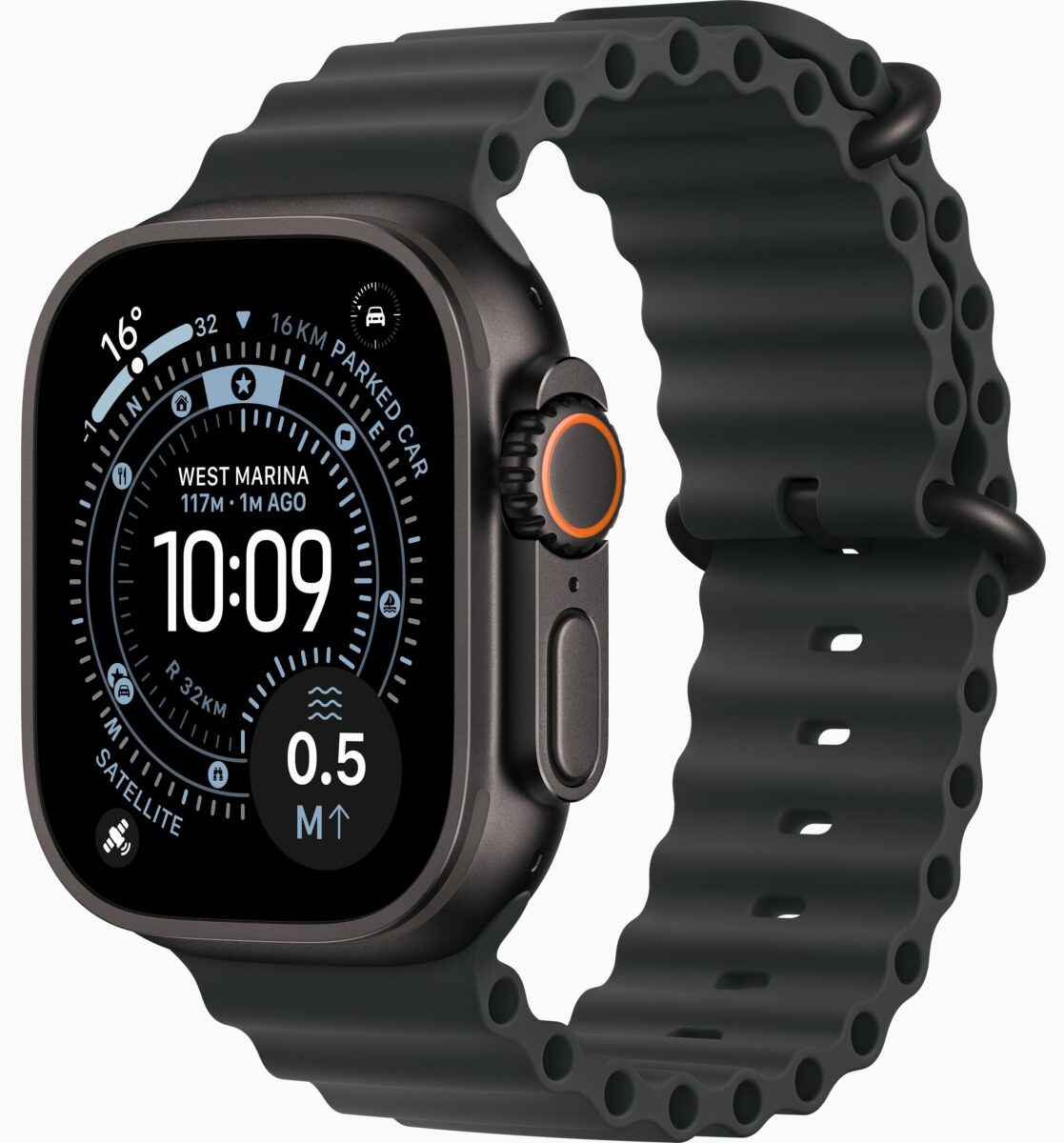
Select Ultra Model





Select SE Model
Is It Worth Replacing an Apple Watch Battery?
Yes, absolutely – and it’s one of the most worthwhile repairs you can have done.
There’s a persistent belief that Apple Watch batteries are sealed in permanently and the watch has to be thrown away when the battery wears out. It isn’t true. The battery is glued into a recess inside the case, and replacing it requires releasing the bonded display with controlled heat, but it’s a routine job for anyone properly equipped.
What you can’t do is change it yourself with a screwdriver from a kitchen drawer. The display isn’t clipped in, the connecting cables are short and delicate, and the battery sits directly beneath the screen. It’s a workshop job – but it’s a straightforward one, and it typically costs a small fraction of replacing the watch.
A new battery on a three or four-year-old Apple Watch usually buys you another two to three years of proper all-day use.
How Long Should an Apple Watch Battery Last?
This question has two completely different answers, and mixing them up causes a lot of unnecessary worry. Let’s take both.
How Long It Lasts Per Charge
Apple publishes an official battery life figure for every model. Here’s the full range:
| Model | Normal use | Low Power Mode |
|---|---|---|
| Apple Watch Ultra 3 | 42 hours | 72 hours |
| Apple Watch Ultra 2 | 36 hours | 72 hours |
| Apple Watch Ultra | 36 hours | 60 hours |
| Apple Watch Series 11 | 24 hours | 38 hours |
| Apple Watch Series 10 | 18 hours | 36 hours |
| Apple Watch Series 9 | 18 hours | 36 hours |
| Apple Watch Series 8 | 18 hours | 36 hours |
| Apple Watch Series 7 | 18 hours | – |
| Apple Watch Series 6 | 18 hours | – |
| Apple Watch Series 5 | 18 hours | – |
| Apple Watch SE 3 | 18 hours | 32 hours |
| Apple Watch SE 2nd Gen | 18 hours | 36 hours |
| Apple Watch SE 1st Gen | 18 hours | – |
| Apple Watch Series 3 | 18 hours | – |
An Honest Note About the Newer Figures
Something worth knowing, because very few sites mention it. When Apple quoted 24 hours for the Series 11 and 42 hours for the Ultra 3, it also changed how it measures.
Those newer figures include six hours of sleep tracking in the test. Earlier models were measured without it. Sleep tracking uses far less power than an active day of notifications, workouts and screen time, so part of that headline improvement comes from the testing method rather than the hardware alone.
The Series 11 and Ultra 3 genuinely do last longer than their predecessors – the batteries are physically larger. Just don’t expect the jump from 18 to 24 hours to feel like a third more waking-hours use, because it isn’t quite that.
How Many Years the Battery Lasts
This is the answer most people are actually looking for. Apple Watch batteries are rated to retain around 80% of their original capacity after 1,000 full charge cycles. For most people that works out at roughly three years of daily wear.
But it varies enormously with how you use it:
- Heavy users – daily GPS workouts, sleep tracking, lots of notifications, always-on display – often see meaningful decline by two years
- Light users – mainly time, notifications and occasional workouts – frequently reach four or five years before it becomes annoying
- Always-on display models (Series 5 onwards) work their batteries harder than the SE range, where the screen switches off when you lower your wrist
Heat is the other major factor. Leaving your watch in direct sun, in a hot car or charging under a duvet ages the battery faster than anything else you can do to it.
How to Check Your Apple Watch Battery Health
Before booking anything, check the actual figures. It takes thirty seconds and tells you exactly where you stand.
Checking Battery Health (Maximum Capacity)
- On your Apple Watch, press the Digital Crown to open your apps
- Open Settings
- Tap Battery
- Tap Battery Health
- Read the Maximum Capacity percentage
That percentage compares your battery’s current capacity against when it was new. A brand-new watch shows 100%. Anything you see below that is normal wear. Battery Health is available on Apple Watch Series 4 and later running watchOS 7 or newer. If you don’t see the option, your watch predates the feature.
Checking Your Current Battery Level
To simply see how much charge is left right now:
- On the watch: swipe up from the bottom of the watch face to open Control Centre. The percentage sits at the top.
- On your iPhone: add the Batteries widget to your Home Screen or Today View – it shows your Apple Watch alongside your phone.
- On your watch face: add a Battery complication so the percentage is always visible without any tapping.
What Your Battery Health Percentage Actually Means
| Maximum Capacity | What it means |
|---|---|
| 90-100% | Healthy. No action needed. |
| 85-89% | Normal wear. You may notice slightly shorter days. |
| 80-84% | Noticeable decline. Worth planning for a replacement. |
| Below 80% | Apple’s own threshold for battery service. Replacement recommended. |
Below 80%, most people find the watch no longer reliably makes it from morning to bedtime, and sleep tracking becomes impractical. One important caveat: battery health percentage isn’t the whole story. A watch showing 85% that shuts down suddenly at 30% has a genuine fault, not simply wear. If the numbers and the behaviour don’t match, get it checked – that’s what our free diagnostic is for.
Why Is My Apple Watch Battery Draining So Fast?
Sudden battery drain isn’t always a worn battery. Work through these before assuming the worst.
Causes That Aren’t a Faulty Battery
- A recent watchOS update. The single most common explanation for drain that appeared overnight. After an update, your watch re-indexes data and background processes work harder for a few days. Give it three to five days before drawing conclusions.
- Always-on display. If you’ve recently switched this on, expect a real reduction. Settings, then Display & Brightness, then Always On.
- Too many notifications. Every buzz wakes the screen. A watch lighting up 200 times a day uses substantially more power than one lighting up 40 times.
- Workout tracking with GPS. GPS is the heaviest drain on any Apple Watch. An hour of outdoor running costs far more battery than an hour of anything else.
- Poor Bluetooth connection. When your watch loses sight of your iPhone it falls back to Wi-Fi or mobile data, both of which use more power. If you leave your phone in another room all day, this is likely a factor.
- A misbehaving app. Occasionally a third-party app gets stuck refreshing in the background. Restarting the watch – hold the side button, then power off – resolves a surprising number of these cases.
- Cold weather. Lithium batteries perform poorly in the cold. A watch that dies quickly on a winter run may be fine indoors.
Causes That Are a Faulty or Worn Battery
- Shutting down while showing 20-30%. A worn cell can no longer deliver steady power under load, so the watch cuts out well before zero.
- Charging to 100% then dropping fast. Rapid fall in the first hour off the charger points to genuine capacity loss.
- Getting hot during normal use or charging. Warmth while charging is normal; uncomfortably hot isn’t.
- The screen has started lifting at one corner. This is the urgent one. A swollen battery is pushing the display out of the case. Stop wearing the watch and get it booked in – a damaged lithium cell is a genuine safety risk, not a cosmetic issue.
If you’ve ruled out the software explanations and the behaviour matches the second list, a new battery will resolve it.
How to Save Battery on Your Apple Watch
These changes make a real difference, whether your battery is new or ageing.
- Turn on Low Power Mode. Swipe up for Control Centre, tap the battery percentage, then enable it. It disables the always-on display and background heart-rate readings while keeping the essentials working. On most models it roughly doubles your battery life.
- Switch off the always-on display. Settings, Display & Brightness, Always On. This is the single biggest saving available on Series 5 and later.
- Cut your notifications back. In the Watch app on your iPhone, go through Notifications and switch off everything you don’t genuinely need on your wrist.
- Reduce screen brightness. Settings, Display & Brightness. Even one level down helps over a full day.
- Turn off Wake on Wrist Raise. If you don’t mind tapping the screen to check the time, this saves a surprising amount.
- Keep your iPhone nearby. A strong Bluetooth connection uses far less power than falling back to Wi-Fi or mobile data.
- Disable background app refresh for apps you rarely open, in the Watch app under General.
- Avoid extremes of temperature. Don’t leave it in a hot car or in direct sunlight, and don’t charge it under bedding.
If you’ve done all of this and the watch still won’t reach bedtime, the battery itself is the problem.
Signs You Need a New Apple Watch Battery
- It no longer lasts a full day, when it comfortably used to
- It shuts down suddenly while still showing 20% or 30%
- Battery Health shows Maximum Capacity below 80%
- It drains heavily overnight without sleep tracking enabled
- It takes far longer to charge than it used to
- It gets noticeably hot during normal use
- The display is lifting at a corner – replace it urgently
- It dies partway through a workout it used to handle easily
Any two of these together almost always means a worn cell.
Apple Watch Battery Replacement Cost
Apple Watch battery replacement is one of the more affordable repairs we carry out, and considerably cheaper than most people expect before they ask.
Price depends on your model and case size. Larger cases use larger batteries, and Ultra models use the biggest cells in the range. Unlike screen repairs, the cost doesn’t change based on whether you have Ion-X or sapphire glass, because the front isn’t being replaced.
| Model range | Typical battery replacement cost |
|---|---|
| Apple Watch SE (all generations) | £79 – £99 |
| Apple Watch Series 5 – Series 11 | £69 – £99 |
| Apple Watch Ultra range | £89 – £99 |
Every price is confirmed exactly after we’ve checked your watch, and the figure you approve is the figure you pay. The diagnostic check, including reading your battery health, is free. Set that against a replacement watch and the case makes itself. A new battery costs a fraction of a new Apple Watch, takes a couple of days, and you keep your own watch, your bands and your Activity history rather than starting again.
Apple Battery Service or Independent Replacement?
Plenty of people check Apple’s own battery service first, so here’s a straight comparison.
Go to Apple If You’re Covered
If your watch is under Apple’s one-year warranty and battery capacity has fallen below 80%, Apple should service it free – that’s a defect rather than accidental damage. If you have AppleCare+, battery service is also covered when capacity drops below 80%. In both cases, use it.
Independent Replacement Otherwise
Outside warranty, Apple charges a battery service fee and typically requires you to book an appointment or post the watch away for several days. An independent replacement is usually quicker and costs less, and you keep your own watch throughout.
The Thing to Know First
Any third-party repair ends remaining Apple warranty or AppleCare+ cover. That applies to every independent repairer, and we’d always rather tell you upfront. If you’re still covered, check with Apple first. If you’re not, that consideration disappears and it comes down to price, speed and convenience.
Our Apple Watch Battery Replacement Process
1. Free Battery Health Check
We read the actual battery health figures and test the apple watch charging behaviour, and we check whether the battery has begun to swell. We also test the display, crown, buttons, sensors and charging, because a watch behaving oddly sometimes has more than one thing going on.
2. Fixed Price, Agreed Upfront
Exact cost and realistic timescale before we start. Nothing goes ahead without your approval. If we find the drain is caused by software rather than the battery, we’ll tell you – even though it means no sale for us.
3. The Replacement
The display is released with controlled heat rather than levered, the old cell removed carefully, and a certified high-capacity replacement fitted. We then reseal the case with fresh waterproof adhesive to restore your watch’s water resistance.
4. Testing and Quality Control
We verify the new battery reads correctly, run a complete charge cycle, pressure-test the seal and check every function before packing it. Your watch only comes back once it’s passed all of it. Your data is never accessed, and your watch is never wiped without your permission.
Why You Shouldn’t Replace an Apple Watch Battery Yourself
DIY battery kits are widely sold, and Apple Watch battery replacement is one of the riskiest repairs to attempt at home.
- Fire risk is real. The battery is glued in tightly and punctures easily during removal. A damaged lithium cell can vent, ignite and release toxic fumes. This is the main reason we’d discourage anyone from trying.
- The display sits directly on top. Getting to the battery means removing the bonded screen first, with even, controlled heat. Most failed attempts crack the display before reaching the battery at all – turning an affordable repair into an expensive one.
- The cables tear easily. Lifting the screen too far or at the wrong angle damages the connecting cable.
- You can’t reseal it at home. Even a successful swap almost always destroys the water resistance, because restoring it needs the right adhesive applied precisely and a way to verify the seal.
- Cheap cells underperform. Aftermarket batteries in DIY kits frequently carry less capacity than the original, so you go through the whole risk for a watch that still doesn’t last the day.
Making Your New Battery Last
Once your Apple Watch has a fresh battery, a few habits keep it healthy for longer.
- Top up rather than running flat. Frequent full discharges age lithium batteries faster than partial charges. Charging while you shower or eat breakfast is ideal.
- Keep it cool. Heat is the biggest enemy of battery lifespan. Avoid hot cars, direct sun and charging under a duvet.
- Use Low Power Mode when you don’t need everything. Long travel days, festivals and hikes are perfect for it.
- Wipe the back and the charger. Sweat and grime between the two cause poor charging, which stresses the battery unnecessarily.
- Keep watchOS updated. Apple regularly ships power management improvements in software updates.
Apple Watch Battery Replacement Near You, or by Post
Visit Our Repair Centre
Our repair centre is in Essex, and we look after customers throughout London and the surrounding areas. Bring your watch in for a free battery health check, an exact price, and in most cases a same-day battery replacement.
Free UK-Wide Send-Back Service
Not local? It makes no difference. Book online, post your Apple Watch for repair to us, and we’ll check it, confirm the price, fit the new battery and return it fully insured with no delivery cost to you. Most posted-in battery replacements are completed within 24 to 48 hours of arriving.
Why Customers Choose iExpert Repairs
- Rated Excellent on Trustpilot by genuine customers
- Thousands of Apple devices repaired – watches, iPhones and iPads
- Certified high-capacity batteries, never the cheapest cell available
- Proper waterproof reseal and pressure test on every repair
- 12-month warranty included as standard
- No fix, no fee – nothing to pay if we can’t put it right
- Free battery health check, with the real figures shown to you
- Free send-back delivery anywhere in the UK, insured both ways
Book Your Apple Watch Battery Replacement
If your watch no longer lasts the day, a new battery is the cheapest fix available and typically buys you another two to three years. Select your model above for pricing, or send it in and we’ll check the health figures for free before you commit to anything.
Got a different fault? Our main Apple Watch repair service covers watch charging problems, water damage and full diagnostics, and we also offer Apple Watch screen repair for cracked displays.
We also handle Apple repair, MacBook repairs, iPad repair and iPhone repairs at our UK repair centre.
Apple Watch Battery - FAQs
Can you replace an Apple Watch battery?
Yes. It's a routine workshop repair - the bonded display is released with controlled heat, the old cell removed and a new one fitted, then the case is resealed. It typically costs a small fraction of replacing the watch.
How much does Apple Watch battery replacement cost in the UK?
It depends on your model and case size, with Ultra models costing more as they use larger cells. We confirm an exact fixed price after checking your watch, and the battery health check is free.
How do I check my Apple Watch battery health?
On your Apple Watch, open Settings, tap Battery, then Battery Health, and read the Maximum Capacity figure. It's available on Series 4 and later running watchOS 7 or newer.
How long should an Apple Watch battery last?
Per charge, 18 hours on most models, 24 on the Series 11, and 36 to 42 hours across the Ultra range. In terms of lifespan, batteries retain around 80% capacity after 1,000 charge cycles - roughly three years of daily use for most people.
At what battery health should I replace my Apple Watch battery?
Below 80% Maximum Capacity is Apple's own threshold for battery service, and it's where most people find the watch no longer lasts a full day. Some notice it in the mid-80s if they use GPS workouts or sleep tracking heavily.
Why is my Apple Watch battery draining so fast all of a sudden?
Most often a recent watchOS update - give it three to five days to settle. Other common causes are the always-on display, heavy notifications, GPS workouts, a weak Bluetooth connection to your iPhone, or an app stuck refreshing in the background. If none apply and it shuts down above 20%, the battery is worn.
My Apple Watch screen is lifting. Is that the battery?
Almost certainly yes - that's a swollen battery pushing the display out of the case. Stop wearing it and get it booked in, as a swollen lithium cell is a safety risk rather than a cosmetic problem.
How long does an Apple Watch battery replacement take?
Most are completed the same day in our repair centre. Posted-in replacements are usually finished within 24 to 48 hours of arriving.
Will my watch still be water-resistant after a battery replacement?
Yes. We reseal every watch with fresh waterproof adhesive and pressure-test it before returning it.
Will I lose my data or Activity history?
No. A battery replacement doesn't touch your storage, and your paired iPhone holds your health and Activity data regardless.
Does Apple Watch have a Body Battery feature?
No - Body Battery is a Garmin feature. Apple Watch measures related things including heart rate variability, sleep stages and, on newer models, a Sleep Score and training load, but there's no single Body Battery metric.
Is it worth replacing an Apple Watch battery?
For almost everyone, yes. A new battery costs a fraction of a new watch and typically restores two to three years of proper use, and you keep your own watch, bands and Activity history.